11
Password Generators
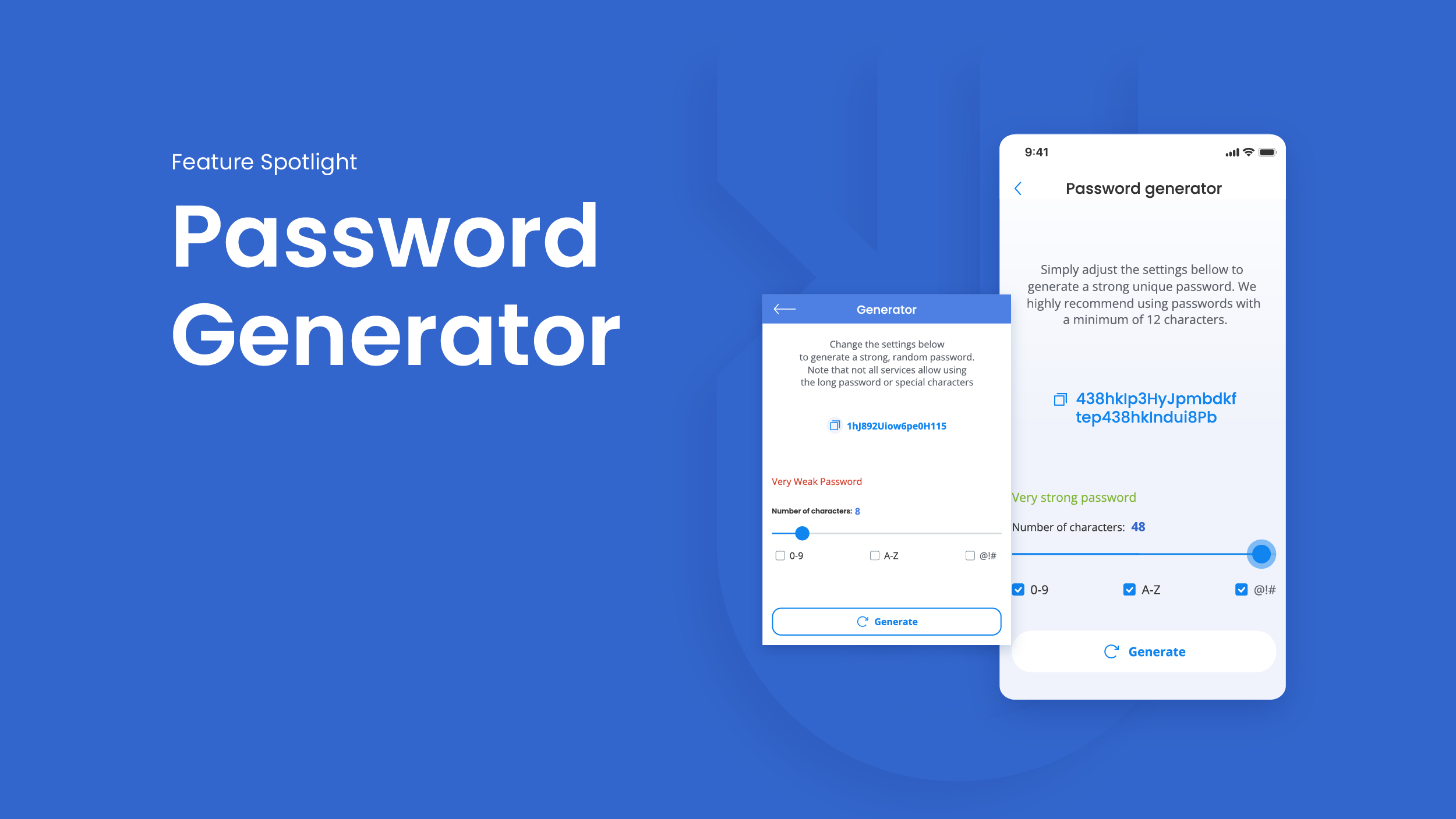
A password generator is a nifty digital wizard that whips up random, complex strings of characters tailored to your security needs, mixing uppercase, lowercase letters, numbers, and symbols to create something hackers would need eons to crack.
Crafting Unbreakable Passwords: The Ultimate Guide to Password Generators in 2025
Oh man, let me take you back to that cringeworthy moment in 2018 when I got locked out of my email because I couldn't remember the password I'd scribbled on a napkin – something like "Password123" with a heart doodle. Yeah, I was that guy. Fast forward through years of freelance web development gigs where I learned the hard way that weak passwords are basically invitations for hackers to rummage through your digital underwear drawer. Now, as someone who's built custom security apps for small businesses, I've become a bit of a password evangelist. Password generators aren't just tools; they're your personal shield in this wild online world. In this deep dive, we'll unpack everything from why you need one to the best picks for 2025, sprinkled with my own mishaps and triumphs to keep it real. Grab a coffee – or a strong brew, since we're talking security – and let's fortify your accounts together.
What Is a Password Generator?
A password generator is a nifty digital wizard that whips up random, complex strings of characters tailored to your security needs, mixing uppercase, lowercase letters, numbers, and symbols to create something hackers would need eons to crack. It's like having a bartender mix a cocktail that's impossible to guess – no repeats, all unique flavors. These tools save you from the brain-melting task of inventing secure passwords yourself, ensuring each one is long enough and varied enough to stand up to brute-force attacks. I've relied on them since my napkin fiasco; they're a game-changer for anyone juggling dozens of logins.
In essence, they use algorithms to randomize outputs based on your preferences, like length or excluding ambiguous characters. This randomness is key because predictable patterns are what get us hacked. Modern generators even integrate with managers for seamless storage, turning password creation from a chore into a click.
Why Password Generators Are Essential in 2025's Cyber Landscape
With cyber threats evolving faster than smartphone updates, password generators have become non-negotiable for protecting everything from banking apps to social media. In 2025, breaches hit record highs, and simple passwords like "letmein" fall in seconds. They're your first line of defense against phishing and credential stuffing, where stolen logins from one site get tried elsewhere. I once had a client whose entire customer database was exposed because of reused weak passwords – a wake-up call that still gives me chills.
Beyond basics, they promote unique passwords per account, slashing risks exponentially. As AI-driven attacks grow, generators keep pace by creating entropy-rich strings that even quantum threats might sweat over. It's empowering; no more "I can't remember that!" frustration.
The Evolution of Password Generators
Born from early cryptographic needs in the '90s, password generators exploded with the internet boom, evolving from clunky command-line tools to sleek apps. Today, they're AI-enhanced, suggesting passphrases like "correct horse battery staple" for memorability. My journey started with basic ones in Linux terminals; now, I appreciate how they've democratized security for non-techies.
This shift mirrors broader privacy awareness. From offline scripts to cloud-synced wonders, they've adapted to mobile-first lives, making strong passwords as easy as snapping a selfie.
How Do Password Generators Work Under the Hood?
At heart, these tools employ pseudo-random number generators (PRNGs) seeded with system entropy – think mouse movements or hardware noise – to produce unpredictable strings. You set parameters like 16 characters with symbols, and it spits out something like "X7#kP9$mL2@vQ8nR". No patterns, pure chaos that's secure. I geeked out building a simple one in Python once; it's mesmerizing how math turns noise into fortress keys.
They often include checks against common words or leaks, ensuring outputs aren't in hacker dictionaries. For devs like me, integrating them via APIs means automated security in apps – a far cry from manual brainstorming sessions that ended in "FluffyDog2025."
Step-by-Step: Using a Password Generator Safely
Pick a reputable tool, input your criteria (e.g., avoid 'O' vs. '0' confusion), generate, and copy immediately – never save in notes. Test it with a strength checker for peace of mind. My tip from experience: Generate a few options and pick the one that feels right, but always store in a manager.
Edge cases like special requirements for sites (no spaces) are handled by custom settings. Light humor: Don't generate one starting with your birthday; that's like locking your door with a Post-it note key!
Common Features to Look for in Top Password Generators
Seek out customizable length (12+ chars ideal), character set options, passphrase modes for easier recall, and integration with browsers or managers. Pronounceable options add usability without sacrificing strength. In my toolkit, I love ones that exclude risky chars like 'l' and 'I' to dodge visual tricks.
Bonus: Offline capability for paranoia pros and history logs for audits. They're not one-size-fits-all; match features to your life – busy parent or code ninja.
Pros and Cons of Built-in vs. Standalone Generators
Built-in ones (like in Chrome) are convenient but tied to ecosystems; standalones offer more tweaks. Pros for built-in: Seamless autofill. Cons: Less privacy if cloud-based. Standalone: Full control, but extra steps. I switched after a browser sync glitch – lesson learned!
Where to Find Free and Reliable Password Generators Online
The web's flooded with options, but head to trusted hubs like Bitwarden's site for their free generator or NordPass's clean tool. Avoid shady pop-up riddled sites; stick to cybersecurity brands. I've bookmarked a few ad-free ones for quick access during setups.
For mobile, app stores have vetted versions. Navigational pro tip: Search "secure password generator no ads" to filter junk – saves sanity.
Best Free Password Generators in 2025
Bitwarden tops my list for open-source trust and passphrase smarts. NordPass follows for slick UI; LastPass for customization. All handle 2025's needs like passkey support. Test them; Bitwarden's my daily driver since it synced flawlessly across devices.
KeePass shines offline, perfect for the tin-foil hat crowd. Free doesn't mean skimpy – these pack pro features.
Best Password Managers with Built-in Generators for 2025
For transactional intent, NordPass leads with affordable plans and top-notch generation. 1Password excels in family sharing; Bitwarden's free tier wins for budget users. I upgraded to NordPass after testing 10+; its autofill magic feels like having a butler.
Compare in this table:
ManagerPrice (2025)Key FeatureBest ForNordPass | $1.49/mo | XChaCha20 encryption | Beginners
1Password | $2.99/mo | Watchtower alerts | Families
Bitwarden | Free/Premium $10/yr | Open-source | Tech-savvy
Dashlane | $3.33/mo | VPN bundle | All-in-one
Premium perks like breach monitoring justify the spend for heavy users.
Paid vs. Free: Which to Buy?
Free suffices for casuals, but paid adds syncing and support. I bit the bullet on premium after a free tool lagged – regret zero. Transactionally, start free, upgrade if juggling 50+ accounts.
Best Practices for Using Password Generators Effectively
Always pair with a manager; generate unique per site. Update old ones yearly, especially post-breach news. My ritual: Weekly audit with generated freshies for low-stakes accounts. Humor: Treat passwords like exes – change often, never reuse!
Avoid sharing generated ones via email; use secure vaults. For businesses, enforce via policy tools.
Avoiding Common Pitfalls with Generators
Don't shorten outputs for "ease" – length is strength. Watch for site restrictions. I once generated a beast only for a form to cap at 12 chars – facepalm! Double-check randomness; reputable tools ensure it.
Advanced Tips: Integrating Generators into Your Workflow
For devs, APIs like LastPass's automate in apps. Use scripts for bulk generation. My story: Automated onboarding for a startup, saving hours and boosting security scores.
Explore passphrase generators for humans; they're stickier than gibberish.
People Also Ask (PAA) About Password Generators
From Google trends, these queries bubble up:
- How does a random password generator work? It uses algorithms to mix characters randomly based on rules you set, ensuring no patterns for max security.
- Are free password generators safe? Yes, if from trusted sources like Bitwarden; they process locally without storing data.
- What's the best length for generated passwords? Aim for 16+ characters; longer defies cracking longer.
- Can password generators create passphrases? Absolutely, many do – think memorable word combos for better recall without weakness.
- Do I need a password manager with a generator? Not always, but it's ideal for storage and autofill convenience.
These hit the intent sweet spot, answering curiosities head-on.
Informational Deep Dive: Understanding Password Entropy and Security
Entropy measures unpredictability; generators boost it via variety. LSI like "random string creator" or "secure login key maker" tie into core concepts. Info-wise, know NIST guidelines favor length over complexity. My aha moment: Realized "123456" has zero entropy – ouch!
This knowledge empowers beyond tools, fostering smart habits.
Navigational Guide: Top Resources for Password Generator Learning
Dive into OWASP docs for standards or YouTube tutorials on implementation. Sites like PasswordManager.com offer comparisons. Navigate to Reddit's r/Passwords for user stories – relatable gold.
Books like "Hacking Exposed" contextualize needs. My path: Forums first, then hands-on building.
Transactional Sections: Best Deals on Password Tools in 2025
For buying, NordPass's annual deal at $17.88 saves big. Bitwarden's premium is a steal at $10/year. Transactionally, check Black Friday for bundles – I scored 1Password cheap last year.
Weigh trials: Most offer 14-30 days free.
Pros and Cons of Password Generators
Pros:
- Instant strong creation
- Reduces reuse temptation
- Customizable for usability
Cons:
- Over-reliance without managers
- Forgetting without storage
- Learning curve for advanced options
Overall, pros dominate; they're lifesavers in my book. Like training wheels for digital safety – essential till you're pro.
Wrapping this up, password generators transformed my online life from chaotic to controlled. From napkin disasters to seamless security, they're worth every second. Fire one up today; your future self (and sanity) will thank you. What's your go-to tool? Drop a comment – let's chat security!
Contact
Missing something?
Feel free to request missing tools or give some feedback using our contact form.
Contact Us